
Every IT manager in education or business knows the energy saving argument for PC power management software. Fewer PCs left on overnight means lower electricity bills, reduced CO₂ emissions, and a happier finance director. That case makes itself.
But there are five other compelling reasons to implement scheduled shutdowns across your school or college or business network – and most IT teams never mention them when making the case to senior leadership.
Less Heat, Fewer Hardware Problems
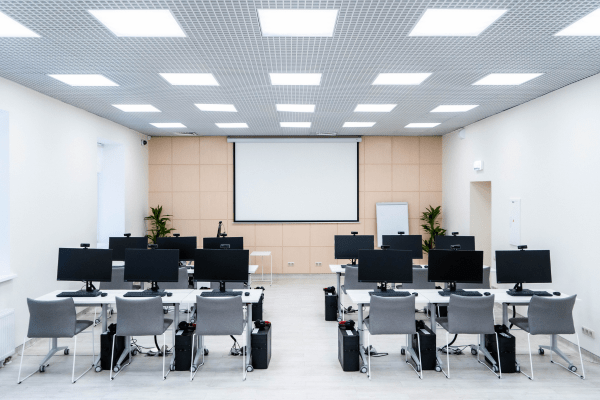
PCs generate heat. If you think about it, a lab full of machines left running overnight generates a lot of it, and heat is the single biggest cause of hardware failure.
Capacitors degrade faster at high temperatures. Hard drives are more prone to failure. Fans work harder and wear out sooner. In a typical school lab for instance, the difference between machines that shut down every evening and machines left running continuously can be measured in years of hardware lifespan.
Fewer hours running means less heat generated, less wear on components, and fewer unexpected failures which for a school, during exam season, is when you can least afford them.
PC power management software like TaskForceCO2 enforces scheduled shutdowns automatically – no reliance on students or staff remembering to switch off.
A Switched Off PC Is a Secure PC
Cybersecurity in education is a growing concern. Schools hold sensitive data including student records, staff information, financial data and are increasingly targeted.
A PC that is powered off cannot be accessed remotely. It cannot be the entry point for ransomware spreading across a network overnight. It cannot be exploited by vulnerabilities in software that hasn’t yet been patched.
This doesn’t replace proper network security, but it is a meaningful layer of protection that costs nothing extra once power management is in place. Every PC that shuts down at 6pm is one fewer attack surface for the twelve hours that follow.
Your PCs Are Heating the Room – And Your Energy Bill
A standard desktop PC generates between 60 and 250 watts of heat depending on load. Multiply that across a lab of 30 machines left running overnight and you have a significant heat source operating in an enclosed space for 14 hours.
In winter that heat is simply wasted. In summer it actively increases air conditioning requirements meaning your energy saving on idle PCs is partially offset by the additional cooling cost those PCs are creating.
Shutting down PCs properly doesn’t just save the electricity those machines consume directly. It reduces the thermal load on the building, which has a secondary effect on heating and cooling costs that rarely appears in standard power management ROI calculations – but is very real.
Regular Shutdowns Genuinely Improve PC Performance
Windows accumulates clutter during a session. Memory leaks from applications that don’t release resources cleanly. Temporary files accumulate. Background processes multiply. Logs grow.
A full shutdown clears all of this. Memory is released completely. Temporary files are cleared. Windows applies pending updates cleanly on restart rather than deferring them indefinitely.
The result is that machines which shut down and restart regularly perform more consistently than machines left running for days or weeks at a stretch. In a school environment where a slow machine during a lesson is a genuine disruption, this matters.
TaskForceCO2 handles this automatically. Scheduled shutdowns mean every machine in your network starts each day from a clean state without any manual intervention from IT.
Fewer Support Calls – There’s a Reason IT Always Says “Have You Tried Turning It Off and On Again?”
The oldest advice in IT support exists because it works. A remarkable proportion of reported PC problems, freezes, unresponsive applications, network connectivity issues, printing failures, resolve themselves on restart.
When PCs shut down and restart every day as a matter of routine, many of these issues never develop in the first place. The problems that accumulate over days of continuous running simply don’t get the chance to build up.
The practical result is fewer support tickets, fewer classroom disruptions, and less time spent by IT staff on issues that a scheduled shutdown would have prevented. For a department already stretched thin, that time saving is significant.
TaskForceCO2 even handles PCs that fail to shut down through conventional methods so when you finish for the day, you can be confident your PCs do too.
Making the Case to Leadership
Energy savings are the headline argument for PC power management software, and rightly so – the ROI is typically achieved within a few weeks at TaskForceCO2’s per-PC pricing.
But the full case is stronger than energy alone. Reduced hardware failures, improved security posture, lower cooling costs, better daily performance, and fewer support calls are all measurable benefits that compound over time.
If you’re building a proposal for senior leadership or a budget holder, these five points alongside the energy saving figures make a significantly more compelling document than cost alone.
Try TaskForceCO2 Free
TaskForceCO2 is PC power management software built specifically for schools, colleges, universities, and businesses. It lets you set scheduled power plans across your entire network, create custom groups independent of your Active Directory structure, and generate detailed reports on financial and CO₂ savings. Most organisations reach ROI within a few weeks.
Need a quote – calculate your license price here.
TaskForceCO2 is developed by PeachWorx, a Microsoft Marketplace Partner. PeachWorx also develops AI AutoClean, a Microsoft Word add-in that highlights and removes AI-style writing traits directly inside Word – keeping your documents human, private and GDPR compliant. Available exclusively in the Microsoft Marketplace at aiautoclean.com.