
PC Power Management for Colleges & Universities
One console for every PC, on every campus.
- Lower energy bills across every building
- Late-opening labs and libraries left alone
- Real CO₂ figures for your carbon report
Thousands of PCs. Several campuses. Nobody sure which ones are on.
A college or university doesn't close at 3pm. Evening classes, late-opening libraries and labs that run overnight mean no single shutdown time works, so plenty gets left on that didn't need to be.
TaskForceCO2 gives each campus, building and room its own rules, from one console, and records exactly what it saved.
What TaskForceCO2 does about it
- Separate schedules for each campus, building or room
- Only shuts down PCs nobody is logged on to, so late work is safe
- Keeps research, render and always-on machines running
- Shuts down stuck PCs that scripts and group policy miss
- Reports money and CO₂ saved, ready for estates and sustainability
One console. Every campus. Real numbers for your net-zero plan.
One console, every campus
- Main campus · teaching roomsOff at 9:30pm if logged off · wake 7:30am
- Library & learning centreOff at 10:15pm, after late opening
- North campus · ICT suitesOff at 6pm if logged off · wake 8am
- Staff officesOff at 7pm if logged off
- Research & render workstationsNo power scheme · always on
- Holiday schemeApplied before reading week and breaks
Illustrative example. Set your own groups and times.
Something IT, estates and sustainability can all agree on.
IT gets fewer stuck PCs and no more shutdown scripts to maintain. Estates and facilities get lower bills. Sustainability gets energy and CO₂ figures taken from your own PCs, not estimates.
One product, three teams happy
PC power management sits between IT, estates and sustainability. TaskForceCO2 gives each of them what they need.
IT services
One console instead of a pile of shutdown scripts. Pull PCs in from Active Directory by OU, group them the way your campuses work, and see which ones actually turned off.
Estates & facilities
Lower electricity bills across every building, without asking staff or students to change a habit. Late-opening areas and always-on machines are left alone.
Sustainability
Energy and CO₂ savings worked out from your own PCs, ready to drop into your carbon reporting and net-zero plan.
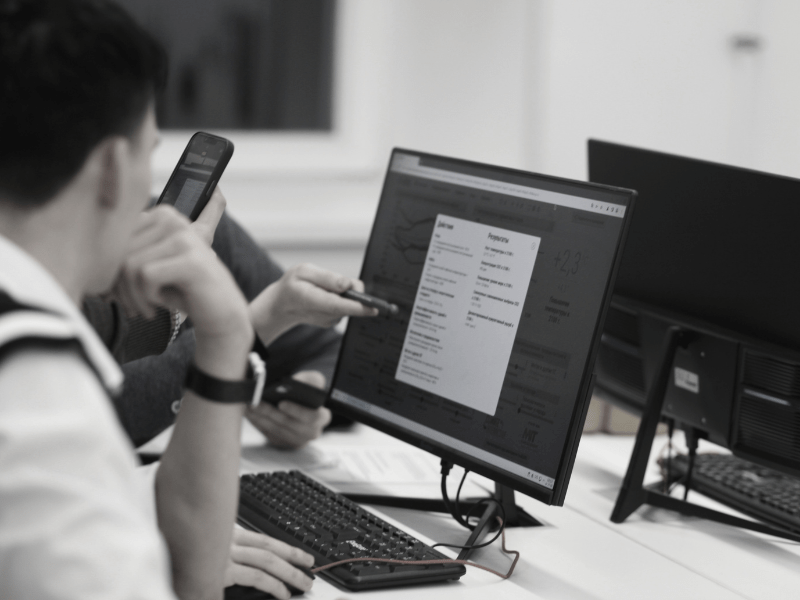
Set up around the way your campus works
Bring your PCs in from Active Directory (by OU), from the network, or by IP range, then group them by campus, building, department or room. Your AD stays exactly as it is.
- Different times for teaching rooms, libraries and offices
- Several power events per PC, per day
- Wake PCs before lectures, or for overnight updates
- Always-on groups for research, render and lab machines
- A holiday scheme for reading weeks and breaks
- Install the console on every campus, at no extra cost

Nothing leaves your network
TaskForceCO2 runs entirely inside your institution's network. There's no cloud service to approve and no student data to process.
No student data
TaskForceCO2 collects no user data, so there's nothing for your data protection officer to assess.
No cloud endpoints
Nothing is sent to us or to any third party, which keeps your security review short.
Works offline
If your internet connection goes down, the power schedules carry on as normal.
College & University Pricing
No per-PC charges. Every PC is covered. All prices are per year.
Site Licence
One campus, every PC
per year, per campus
- Every PC in every building on one campus
- Unlimited console installs
- Licence, support and upgrades for 1 year
- Works out at £41.25 a month
- No per-PC charges
Enterprise Licence
Every campus, one licence
per year
- Every PC on every campus
- New campuses and buildings covered as you add them
- Licence, support and upgrades for 1 year
- Works out at £416.25 a month
- One licence for the whole institution
Buying through procurement?
Most colleges and universities do
- Order online with your purchase order number
- Print it or save it as a PDF for your records
- We invoice your finance team directly
- VAT and bank details whenever you need them
- Need a formal quote first? Just ask
Prices in GBP, per year. Licences don't renew automatically.
Questions Colleges & Universities Ask
What counts as a site?
A site is one campus or physical location. A Site Licence covers every PC in every building on that campus, however many there are.
We have several campuses. Which licence do we need?
With up to ten campuses, a Site Licence for each one costs less. Three campuses would be three Site Licences at £495 each a year.
The Enterprise Licence covers every PC on every campus for £4,995 a year. It's the better buy for larger institutions, or if you'd rather have one licence that also covers any campus or building you add later.
Can each campus run its own console?
Yes. Console installs are unlimited, so each campus IT team can manage its own PCs, or you can run everything centrally from one place.
Our library and some labs open late. Will they be shut down?
Only when you want them to be. Each group has its own times, so the library can follow its late opening hours. You can also set any group to shut down only when nobody is logged on, so a student working late keeps their PC.
Some research and render machines must stay on. Is that possible?
Yes. Put them in their own group with no power scheme and TaskForceCO2 leaves them alone, while it shuts down everything else around them.
What about reading weeks and holidays?
Set up a holiday scheme once, then apply it before each break. PCs stay off for the whole break, with no morning wake-ups, until you switch back to your term-time scheme.
Can it help with our carbon reporting?
Yes. TaskForceCO2's reports show the energy, money and CO₂ saved, worked out from your own PCs. Your sustainability or estates team can use those figures in their carbon and energy reporting.
Does it collect any student or staff data?
No. TaskForceCO2 runs entirely inside your network and collects no user data. Nothing is sent to us or to any cloud service.
Which devices does it manage?
Windows PCs on your network, added from Active Directory (by OU), from the network or by IP address. It's built for on-premises networks, so it isn't designed for devices that are only managed through the cloud.
Can we pay by purchase order?
Yes. Fill in the online order form with your purchase order number and we'll invoice your finance team directly. If your procurement team needs a formal quote first, email salesteam@taskforceco2.com.
Try TaskForceCO2 on your campus
A fully working 14-day trial on up to 250 PCs. Getting it takes a couple of minutes, and there's nothing to pay.
- Click Start free trialIt takes you to the short trial form.
- Fill in your detailsYour name, job title, institution, work email and how many PCs you have.
- Confirm your emailWe email you a link within seconds. Click it to confirm your address.
- Get your licence key and downloadsThey appear on screen straight away, and we email them to you too.
- Install and add your PCsStart with one building or ICT suite and watch the savings report fill up.
What you get
The same software colleges and universities already use, on your network, with your PCs.
- Fully working for 14 days, on up to 250 PCs
- Licence key and downloads emailed to you
- Installs on your own server or admin PC
- Savings reports from your own PCs
- Help from us if you get stuck
- No card details needed
Questions first? Email salesteam@taskforceco2.com